Your salary went somewhere. Malai shows you where.
It reads your bank texts and statements on your own device, then tells you in plain numbers what you spent, what came in and who owes you.
Free. No account, no ads, no loans. What’s free today stays free.
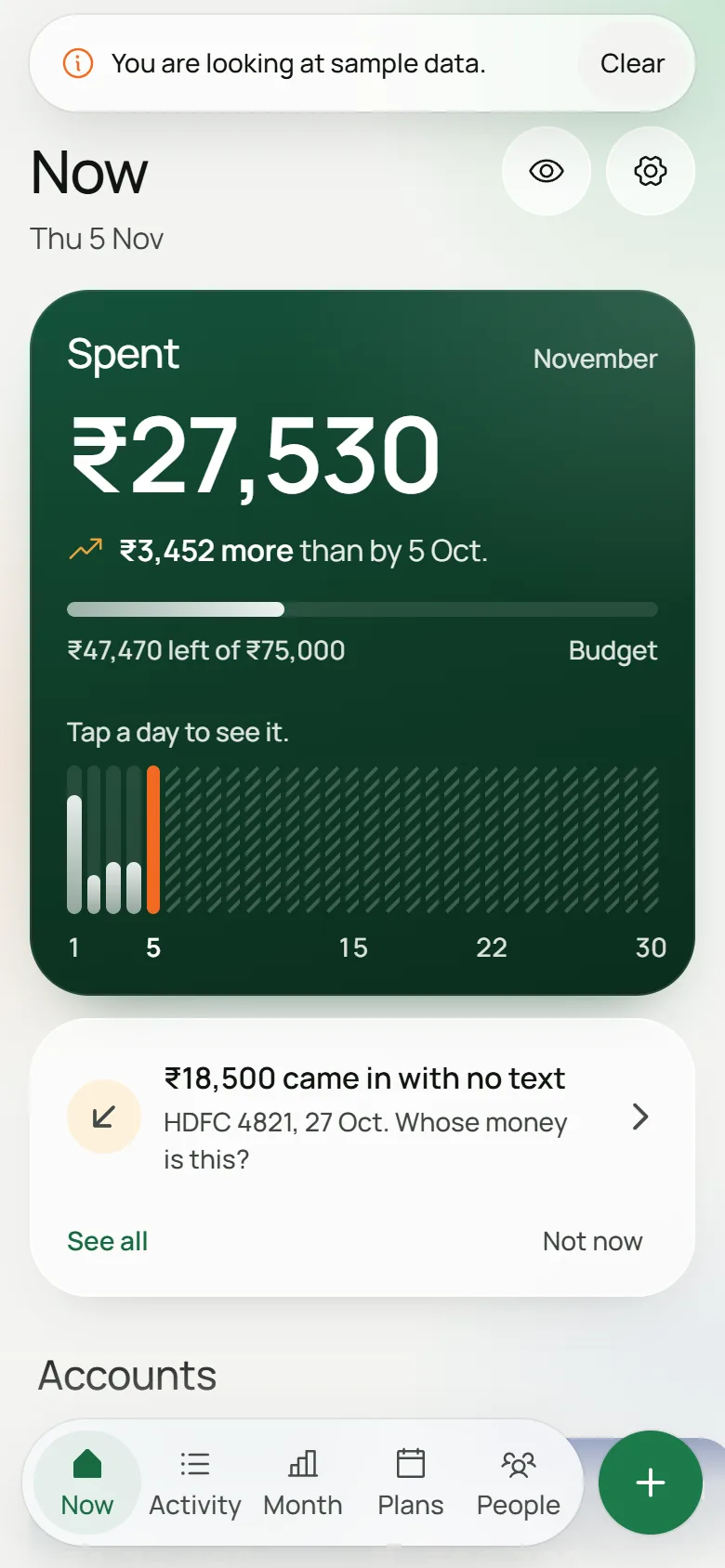
₹4,210 less than this day last month
Tap a day to see where it went.Point at a day to see where it went.
Worked out from your HDFC balance. Who was it from?
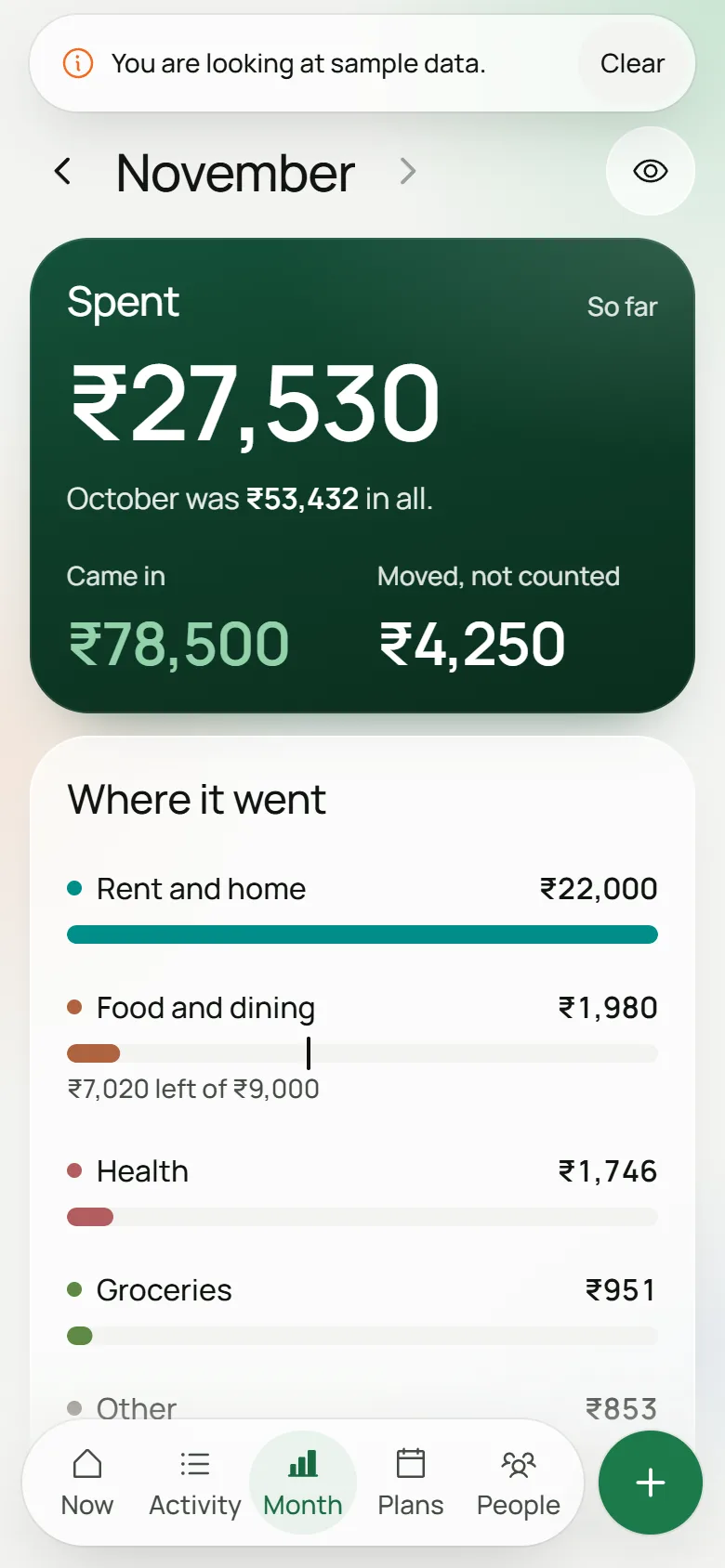
One salary month. Dev is made up.
His bank says ₹72,577 left.
He spent ₹41,907.
The other ₹30,670 was a card bill, a SIP, an EMI, cash and a transfer to himself. Malai keeps those out of your spending and shows them on their own line, so the number you see is the number you spent.
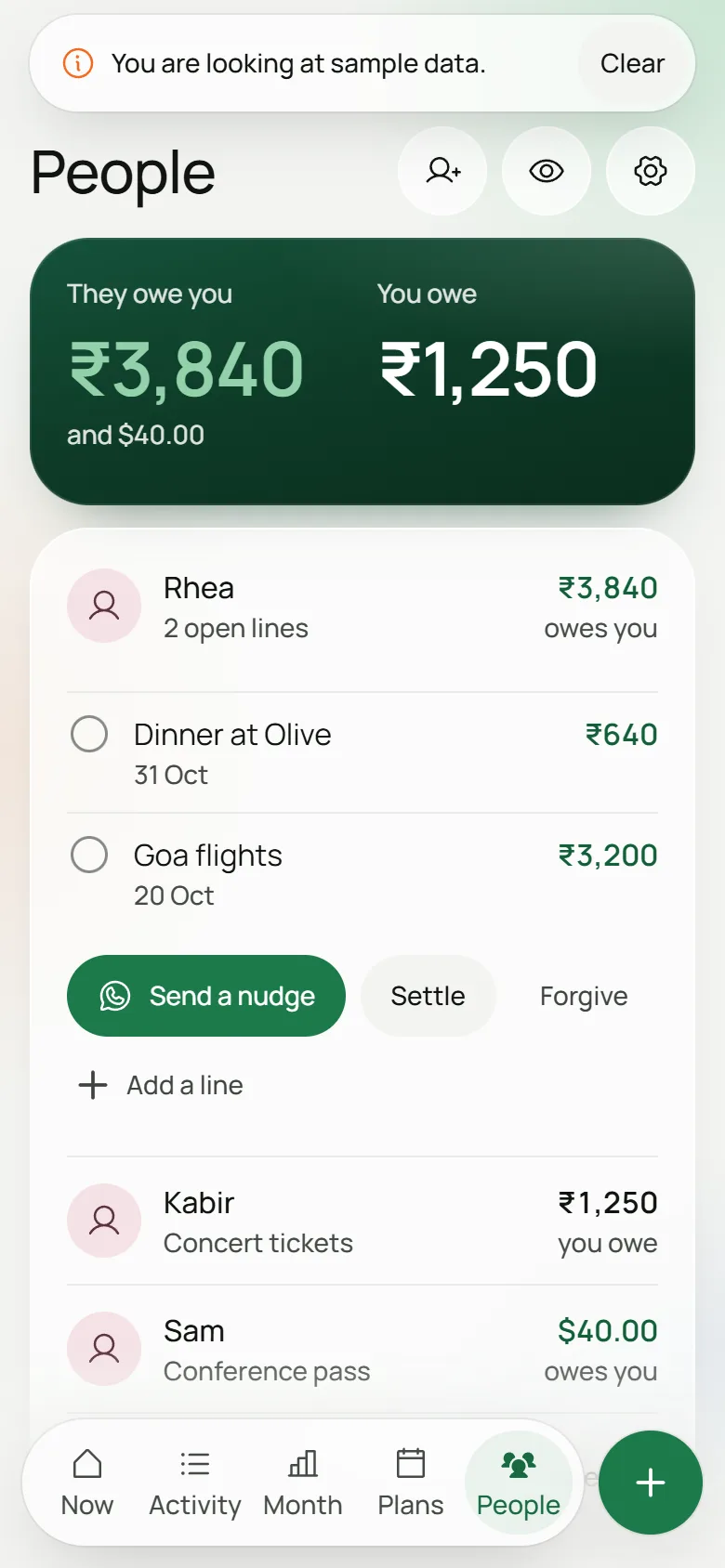
Plus ₹3,840 that Rhea still owes him.
Still in the record, one tap away. Think an EMI is spending? Flip any tag to counted in Settings.
It notices what your bank’s texts leave out.
Money that came in with no text
Banks text you when money goes out and often stay quiet when it comes in. Malai walks your balance from one text to the next. When the numbers don’t add up, it tells you how much arrived and roughly when. We haven’t found another app that does this.
Small spends get the same care. From January 2027 banks may skip texts for ₹500 and under, so a few quiet debits become one calm line: “₹640 in small spends with no text”.
Rs.640.00 spent on HDFC Bank Debit Card x4821 at CITY PHARMACY. Avl bal Rs.32,410.00
Rs.4000.00 withdrawn from HDFC Bank Card x4821 at ATM SECTOR 9. Avl bal Rs.46,910.00
Between 21 and 25 Oct. Who was it from?
Who owes whom
Rhea still owes you for Goa. Keep one line per person, settle it, forgive it if you’re feeling generous, or send a nudge on WhatsApp that you write and send yourself.
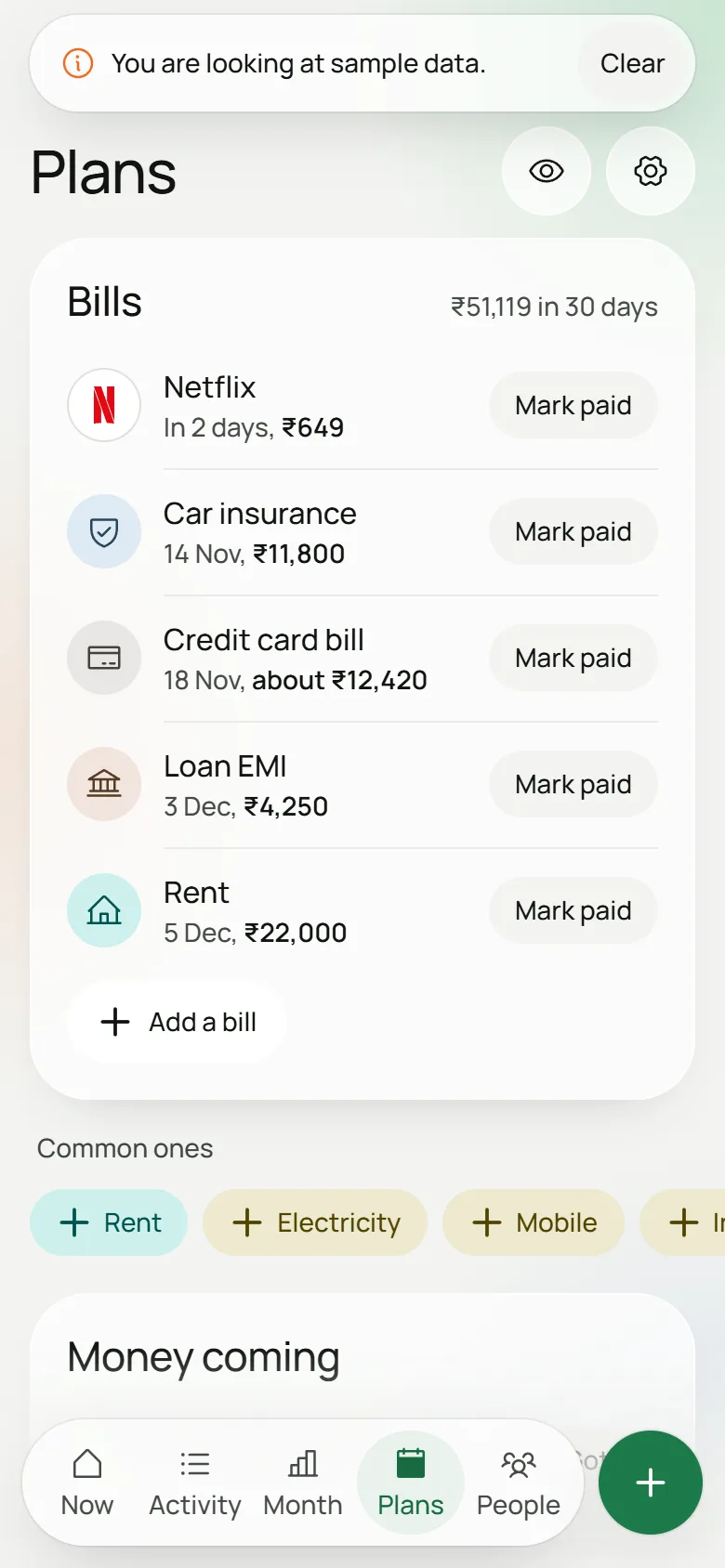
What’s coming
Bills and money you’re expecting, in one list. Mark a bill paid and it logs the spend and moves to next month. If something looks monthly, Malai offers to add it. On Android you get a reminder the day before.
It cannot send your data anywhere.
The Android app has no internet permission. Android itself blocks it from the network, so your texts stay on your phone even if we wanted otherwise.
The web version keeps your data in your browser, and its security rules let it talk to no address but its own.
Two ways in. Both stay on your device.
On the web, from statements
07/11/2026 UPI/DR/630099112233/
- Download a statement from your netbanking: PDF, Excel or CSV.
- Drop it into Malai. Your browser reads it right there, locked PDFs too. The password is never stored.
- Check what it found: new, needs review, transfers, already imported. Then save.
On Android, from your bank texts
INR 649.00 spent using ICICI Bank Card XX7305 on 07-Nov-26 on NETFLIX
- Say yes to reading texts. Say no and statements still work.
- It reads 180 days back while you watch the count climb, dropping OTPs, personal texts and offers.
- From then on, each new bank text shows up by itself.
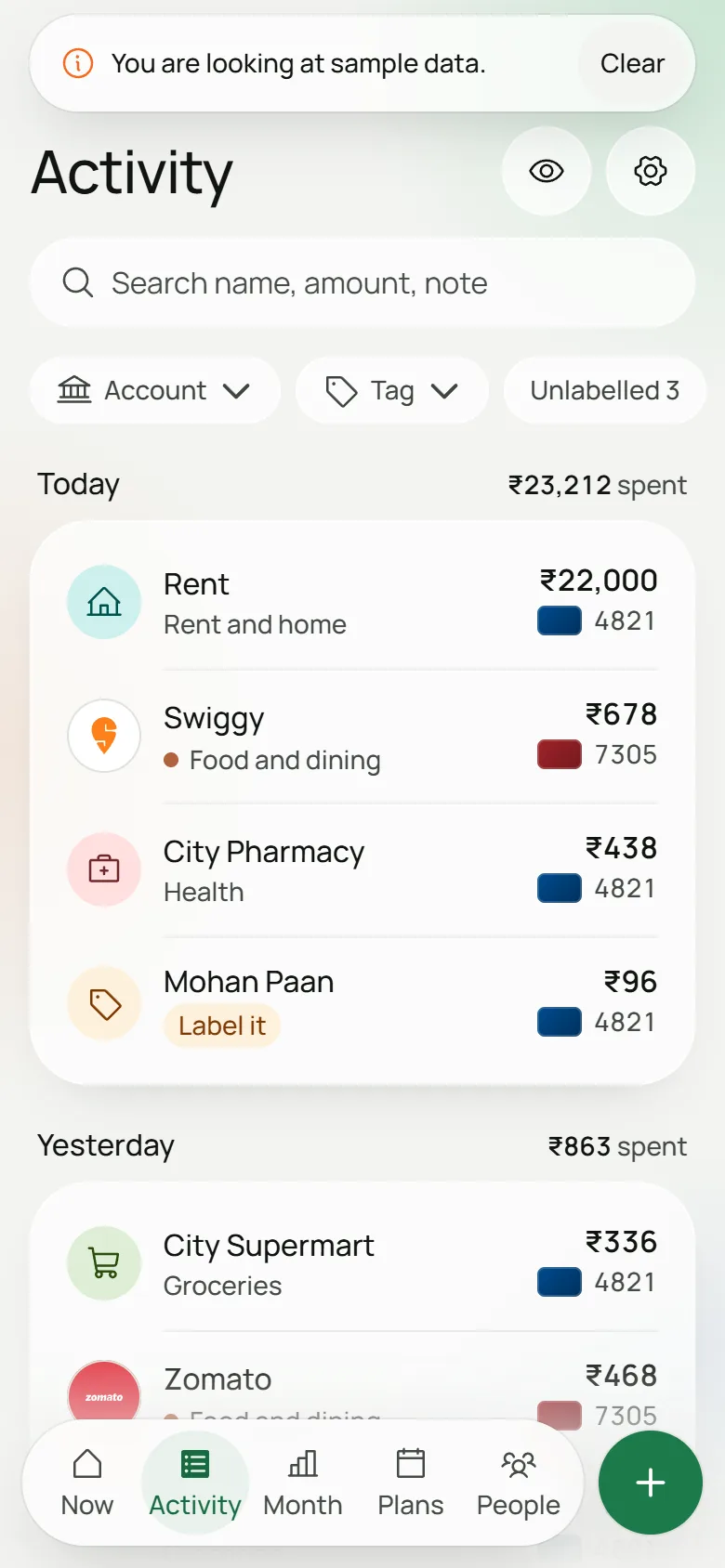
What it looks like.
Real screens from the app, running on the sample data you can open yourself.
Questions people ask.
Is it free?
Yes. No account, no ads, no loans. What’s free today stays free.
Is it safe?
Your data sits on your phone or in your browser, and nowhere else. There is no account to hack and no server holding your money history. Malai never asks for your bank login, card number, CVV, OTP or UPI PIN, and it drops texts that look like OTPs before saving anything.
What it can’t do is stop someone who has your unlocked phone. Turn on the fingerprint lock in Settings if that worries you.
Can I check that nothing leaves my device?
Yes, and you should. Here’s how, on Android and in the browser.
Which banks does it work with?
On Android: it knows the texts of 37 banks and cards, including HDFC, SBI, ICICI, Axis, Kotak, Yes, IDFC First, IndusInd, PNB, Bank of Baroda, Canara, Union, Federal, Amex, OneCard, Scapia, slice and Jupiter. Banks change their wording, and we’ve seen real texts from only some of them, so expect the odd miss. A money text it isn’t sure about waits for you and counts for nothing until you say so.
On the web: a CSV, Excel or PDF statement with a table of dates and amounts should read, whichever bank it’s from. If Malai can’t tell the columns apart, it asks you. Scanned PDFs with no text in them won’t work.
What about iPhone?
Use the web version in Safari. It reads statements like anywhere else. iPhones don’t let apps read texts, so there’s no automatic capture. Add Malai to your home screen, because Safari can clear data from sites you haven’t opened in a while, and keep a backup.
What if I lose my phone?
Your data goes with it. We have no copy, which is the whole idea, and that cuts both ways. Make a backup from Settings once in a while: it’s a file locked with a password you choose, and you keep it wherever you like. On a new phone, restore that file. Forget the password and nobody can open it, us included.
How do you make money?
We don’t, for now. I built Malai because I wanted a money app I’d trust, and with no servers holding anyone’s data it costs very little to run. If that ever changes, what’s free today stays free.
Why the name?
Malai is the Hindi word for cream, and cream has long been slang for money. Also, everyone wants more of it.